Thursday, August 13, 2009

Flickr pics

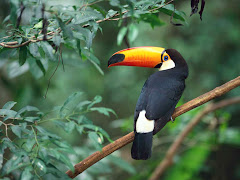
Erika's picture was taken at the Gorge Waterway in Canada and
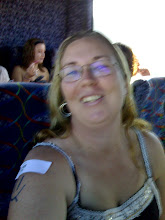
Kathy's photo is of her on her wedding day!


Flickr time :)

Flickr is an online photo storing website. I actually already had an account with Flickr as I used it to show friends and family back home in Australia what I was doing and where I was going when I lived in the USA.

I also used to upload pictures on to Photobucket as well because I never wanted to pay to be storing my photos online which meant considering storage limits.

I now store my photos on Facebook as most of my friends and family are on there and it can be made to be private so only people I want to see the pictures can view them.

Several friends have mentioned problems with creating a Flickr account as it goes through Yahoo (another account which I already had) but have persevered and uploaded some great pictures.

I uploaded my friend Erika’s (now in Canada) and Kathy’s (now in Germany) photos on to my blog with a few difficulties. I couldn't get print to go where I wanted to and couldn't get the photos side by side so if you have an hints let me know. Otherwise I'll keep playing with it to see how I go.

What is Google Earth...

Hei (hi in Norwegian).

Well, their website states that Google Earth lets you 'fly' anywhere on Earth to view satellite imagery. You can look at maps and terrain (great for Geography). You can even zoom in on 3D buildings! Basically you can see everywhere from galaxies in outer space to the canyons of the ocean.

It also goes on to add that if you download the Google Earth function (that you pay for versus the free one) you can view historical imagery from around the globe plus the ocean floor and surface data from marine experts as well as get simplified touring features with audio and voice recording.

You can even experience the Apollo landing with Google Earth!

WOW!! What an incredible resource to have access to in the classroom. Suddenly subjects like geography, history and marine studies would come to life. In Geography, classes could look at rock formations and place locations while learning about longitude and latitude. In History, the class could look at where wars occurred and the terrain they had to cross. In Marine studies, the class could use the more advanced Google Earth feature to look at the many different levels in the ocean. The ideas are really endless with such an easy to download function.

In hindsight I think this would have really engaged my students in our previous Underwater World unit of work and taken our learning to a whole new level. I will definitely be incorporating it into our multi cultural unit this term as our Gingerbread Man travels the globe.

And to make the learning and awareness of the capabilities of Google Earth more well known as well as real and relevant to them: the class could type in addresses for schools that they might have sister programs with, all their previous and current addresses, all their friends and family members addresses from all around the World etc...

Ha det (bye in Norwegian).

References:

Google. (2009). Google Earth. Retrieved August 13, 2009, from
http://earth.google.com/

Wiki Part Two

Well after setting up mine so easily I thought I better investigate this phenomenon a bit more and I found....
Ward Cunningham first started developing the first site to be known as a ‘wiki’ in 1994 and put it online in early 1995. He originally called it ‘Wiki Wiki Web’ because he had been in Hawaii and had heard airport staff referring people to the ‘Wiki Wiki’ shuttle. ‘Wiki Wiki’ meaning quick or fast in Hawaiian.

The word ‘wiki’ can also be expanded to ‘what I know is’.

Further investigation led me to making the link between a ‘wiki’ which allows many users to edit a page or topic (working collaboratively) to Lev Vygotsky who believed that children learn through shared problem solving experiences with someone else. How remarkable that a child theorist from the early part of the century when computer technology didn’t really exist can still be used to assist our teaching strategies. Jerome Bruner can also be referred to here in reference to ‘wiki’s’ as he claims that learning should be participatory, proactive, communal and collaborative.

References:

http://en.wikipedia.org/wiki/wiki

http://starsfolk.khi.is/solrunb/vgotsky.htm

http://au.geocities.com/vanunoo/humannature/bruner.html

Brady, L. And Kennedy, K. (2009). Celebrating Student Achievement: Assessment and Reporting. Frenchs Forest, NSW, Australia: Pearson Education Australia.

Brady, L. (2006). Collaborative Learning In Action. Frenchs Forest, NSW, Australia: Pearson Education Australia.

Wonderful World of Wiki

We discussed in our university lecture group the other day that you tend to learn a skill ‘just in time’ to use it and that was exactly how it was for me with ‘wiki’. Why this sudden need, you might ask, well I was (as were many at the Noosa campus) involved in two group presentations this past week and one of my tech savvy mates decided to start our assignment on a Google document so we can all add our bits when we weren’t meeting. Great idea I thought- how clever of her! Except until I attempted to open and edit the document a few times. No good. It just wouldn’t let me do what I wanted so I thought I could let this get the better of me or I could just embrace another technical element so my ‘wiki’ was created. I even managed to email the involved parties and let them in on my technical wonderment for a change (got to embrace those successful technological moments when I can!). Sorry I didn’t post it on the forum straight away as I wanted to become comfortable with using it before I shared it with everyone.
So last week I created a ‘wiki’! Yes me! It was VERY easy- a couple of clicks of various buttons and away I went! It was almost too easy especially after watching the You Tube clip that Scot has on our learning materials.
Link here- sorry still haven’t worked out how to open You Tube clips directly on my blog yet.
My ‘wiki’ is: www.rissawiki.wetpaint.com
‘Wiki’ is definitely an easy to use tool for me (well at least the ‘wetpaint’ one I have signed up for) and I could see it involved in the classroom environment in so many ways.
For example getting input from students on the next unit of work to undertake in class and the next excursion destination. It was brilliant for the group presentation tasks so I would definitely recommend it for that use in the classroom setting too.

Sunday, August 2, 2009

Powerpoints

Hi again, this week I volunteered to make my first powerpoints for my class lessons. My friends and fellow educators have been making powerpoints for nearly two years now so have a great deal of experience in that area. I tried to get as many ideas and suggestions off them as I could.

My first powerpoint was to do with the vegetable garden we are creating. Most of the students in my class were unsure of which vegetables grew above and below ground. Easy I thought. Well, several hours later and I still hadn't worked out how to cut and paste pictures from the internet to my power points. I ended up using clip art. I love clip art! Next was the background but I started to realise I should of done that first as pictures started to disappear and move around. More playing around with it all and I wanted to add music. My friend made it look so easy when she did it but again more playing around with it and I was finally happy!

The other oh so simple powerpoint I volunteered to do is in regards to hospitals and it was a similar story. I commiserated with a friend and she reassures me it will get easier the more I do it. Fingers crossed they open at school on the smartboard and I will keep you posted how successful it is after my lessons.

Rissa.

RSS means Really Simple Syndication

Hi followers,
I have some how managed to subscribe to peoples blogs without really knowing how I did it. Just a couple clicks of a button and I did it! Me?! Could it really be that simple?
I have also now started noticed RSS functions everywhere. They are even on my private and work email accounts. Had they been there before and I just hadn't noticed? Or cared to look?
I do like the simplicity of being able to open my accounts (emails or blogs) and find the information I want has come directly to me. I could actually get to like this new technology business!
Stay tuned for the next exciting instalment of how to become a better teacher!
Rissa.